Game Consoles - Discovering Computers Fundamentals - Lecture Slides, Slides of Computer Fundamentals

A lecture from Computer Fundamentals course. This course explains all basic components of computer. Keywords in this lecture are: Game Consoles, Servers, Embedded Computers, Examples of Computer Usage, Mainframes, Multiplaye, Larger Product

Typology: Slides

2013/2014

Uploaded on 01/29/2014

jamil
jamil 🇮🇳

4

(12)

139 documents

1 / 8

Toggle sidebar

This page cannot be seen from the preview

Don't miss anything!

bg1
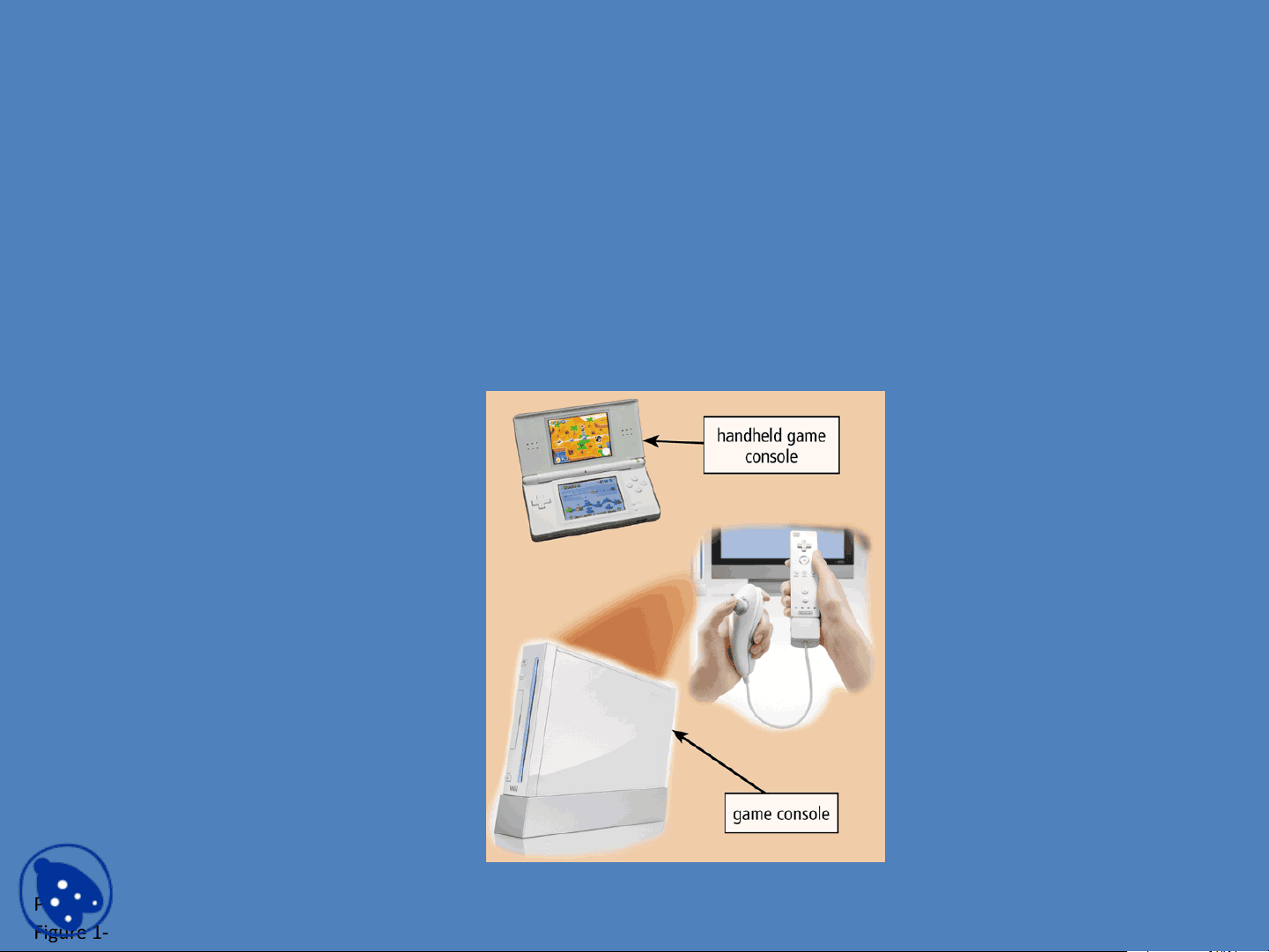
Game Consoles
A game console is a mobile computing device
designed for single-player or multiplayer video
games
Page 18
Figure 1-21
docsity.com
pf3
pf4
pf5
pf8

Partial preview of the text

Download Game Consoles - Discovering Computers Fundamentals - Lecture Slides and more Slides Computer Fundamentals in PDF only on Docsity!

Game Consoles

• A game console is a mobile computing device

designed for single-player or multiplayer video

games

Page 18

Figure 1- 21 docsity.com

Servers

• A server controls access to the hardware,

software, and other resources on a network

– Provides a centralized storage area for programs, data,

and information

Page 19

Figure 1- 22 docsity.com

Supercomputers

• A supercomputer is the fastest, most powerful

computer

– Fastest supercomputers are capable of processing

more than one quadrillion instructions in a single

second

Page 19

Figure 1- 24 docsity.com

Embedded Computers

• An embedded computer is a special-purpose

computer that functions as a component in a

larger product

Page 19 Consumer Electronics Home Automation Devices Automobiles Process Controllers and Robotics Computer Devices and Office Machines

docsity.com

Examples of Computer Usage

Home User

  • Personal financial management
  • Web access
  • Communications
  • Entertainment Small Office/Home Office User
    • Look up information
    • Send and receive e-mail

messages

  • Make telephone calls Mobile User
    • Connect to other computers on

a network or the Internet

  • Transfer information
  • Play video games
  • Listen to music
  • Watch movies Pages 20 – 23 Figures 1- 26 – 1 - 28 Click to view Web Link, click Chapter 1, Click Web Link from left navigation, then click Minorities in Technology below Chapter 1

docsity.com

Examples of Computer Usage

Power User

  • Work with multimedia
  • Use industry-specific software

Enterprise User

  • Communicate among employees
  • Process high volumes of transactions
  • Blog Pages 23 – 24 Figures 1- 29 – 1 - 30 Click to view Web Link, click Chapter 1, Click Web Link from left navigation, then click Enterprise Computing below Chapter 1

docsity.com