

Study with the several resources on Docsity
Earn points by helping other students or get them with a premium plan
Prepare for your exams
Study with the several resources on Docsity
Earn points to download
Earn points by helping other students or get them with a premium plan
Instructions for an assignment in the cop3330 course at the university of central florida, fall 2001. The assignment requires students to create a simple calculator using java gui programming, including the use of swing classes jframe, jbutton, jpanel, and jtextfield, event handlers, and the layout of gui components. Students are expected to implement a calculator that performs the four basic arithmetic operations on two numbers entered through a keypad, and displays the result or error messages for incorrect input.
Typology: Assignments
1 / 2
This page cannot be seen from the preview
Don't miss anything!


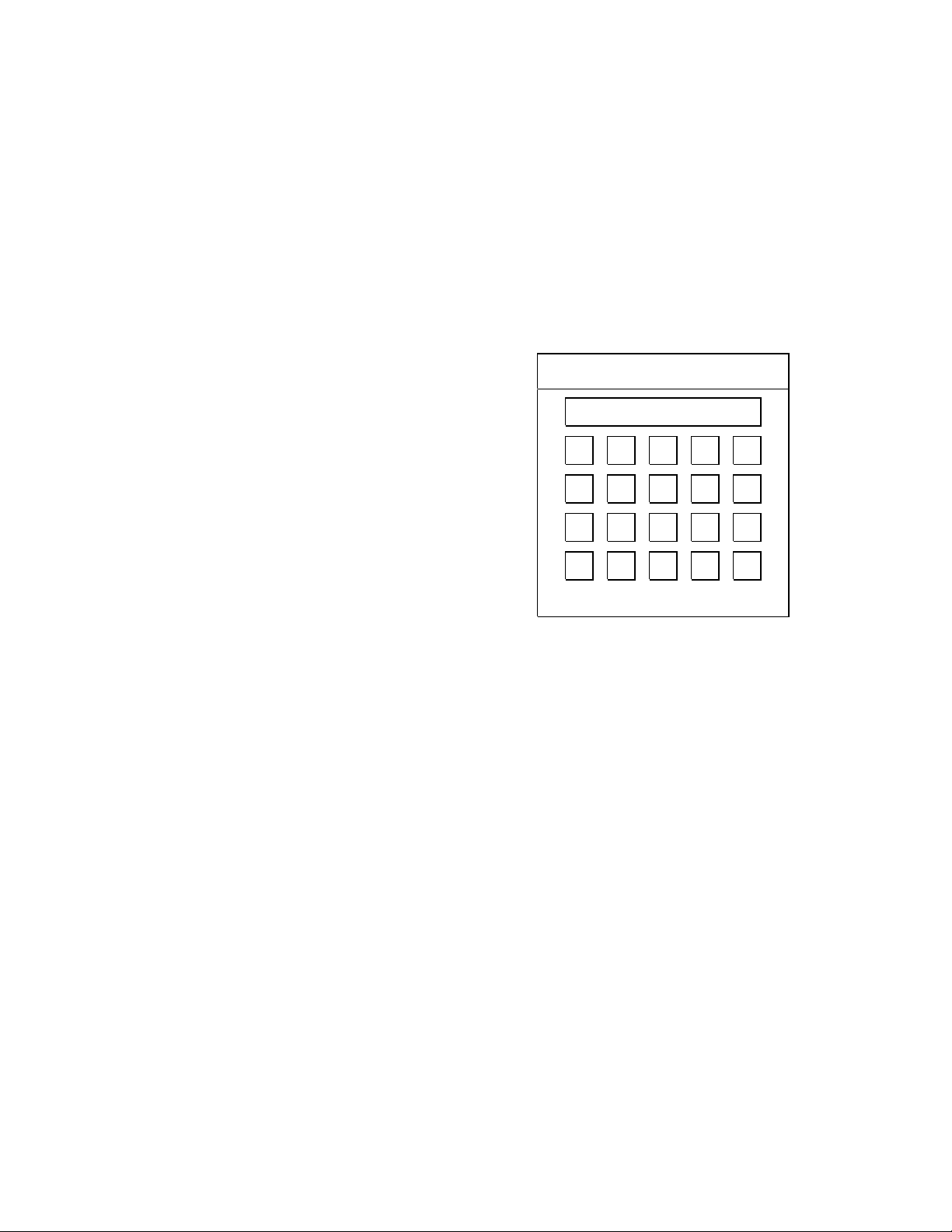
COP3330.01, Fall 2001 Assigned: 11/13/ S. Lang Assignment #5 Due: 11/27 in class The objectives of this assignment are to learn the fundamentals of Java GUI programming, including the use of Swing classes JFrame, JButton, JPanel, and JTextField, the associated event handlers, and the layout of GUI components. Specifically, you are to implement a simple calculator which does the four basic arithmetic operations (+, -, *, and /) on two numbers entered through the use of a keypad. An internal memory buffer numBuffer is used to hold a number previously entered through the keypad or the result of the previous arithmetic operation. Another internal memory buffer opBuffer holds a previously entered operator. There is a display field showing the current input number, the current operator, or what the result of the last arithmetic operation is. The display field is also used to display error messages due to incorrect input (e.g. divide by zero, bad number format). The following figure shows the layout of the calculator: We first provide explanations of each of the buttons on the calculator: (1) The digit (0 through 9), and the decimal point “.”, are used to enter a number with possibly a decimal point. Pressing such a key causes the character to be appended to the display if the display is currently empty, if the display contains a number, or if the display holds a previously entered operator. In the case that the display contained an operator, it is saved into a memory buffer opBuffer and the newly entered digit or decimal point is displayed. (2) The “+/“ key is used to negate the value of the number in the display field. The key has no effect if the display doesn’t contain a number or if it contains zero. (3) The operator keys (+, *, , /) are used to perform the indicated operation on the number in the current display field and the next number to be entered following the operator key. Pressing an operator key causes it to be displayed. In the case that prior to pressing this operator key, there was a previously entered number held in the memory buffer numBuffer , which was followed by an operator key (held in opBuffer ) then by a number entered through the keypad, the current operator would trigger the operation as indicated in opBuffer , and replace the contents of numBuffer with the operation results and replace the contents of opBuffer with the newly entered operator. (4) The”=” key causes the operation indicated in opBuffer to be performed on the number held in numBuffer and the number in the display field, replacing the display and the buffer numBuffer with the result and replacing opBuffer with the blank character. Pressing the “=” key has no effect if there is no operation to be performed. (5) The “RC” key recalls the value held in numBuffer and replaces the displays field. (6) The “BP” key erases the last character in the display field (i.e., backspace); it has no effect if the display field is empty. (7) The “CL” key clears the two memory buffers and the display field (i.e. reset them to their respective initial values). The program should be structured based on the following requirements:
A Simple Calculator
(1) Use a single Java class named SimpleCalculator in a single file for the program. The class extends the JFrame class and contains a constructor and a main() method. The class also contains an internal class ButtonHandler that implements the button event handling procedure. (2) The SimpleCalculator class uses instance variables (fields) for the display, two memory buffers, and the buttons. (You may use other instance variables only if justified.) The display is a JTextField object (uneditable) and an associated StringBuffer object, and the buttons are JButton objects. Initialize the field numBuffer and the display (both are StringBuffer objects) to the empty string””; initialize the field opBuffer to the blank character ‘ ‘. (The StringBuffer objects are similar to Strings but allow modifications.) (3) The constructor initializes the JFrame’s title (“A Simple Calculator”) and the fields of the SimpleCalculator object, does the layout of the GUI, and registers the event handler with the buttons. Use a JPanel with a GridLayout to hold the 20 JButtons (in 4 rows and 5 columns). Add the display field (a JTextField object) to the JFrame object’s NORTH using a BorderLayout, then add the JPanel object containing the buttons to the CENTER of the JFrame. (Recall that you must use the JFrame’s method getContentPane() to return a Container object to which the GUI components are added.) (4) The button event handler ButtonHandler handles the event processing logic when the buttons are pressed. You should use internal private methods to handle different kinds of buttons (digit, operator, etc.) and call them from within the ButtonHandler. The event handler needs to catch simple error conditions such as divide by zero or bad number format (caught when performing an arithmetic operation); these conditions cause an error message be shown in the calculator’s display field. (5) The main() method calls the constructor to create a GUI object, and then sets up the JFrame’s default operation when closed. Here are some advices on how to write this program: (1) Understand the GUI sample programs discussed in class, including the use of GUI components JFrame, JButton, and JTextField, the event handler, BorderLayout and GridLayout, and JPanel. (2) Understand the StringBuffer class and (at least) the methods append(), length(), deleteChatAt(), and toString(). StringBuffer objects are like Strings but mutable, i.e, they can be modified. In this program, use StringBuffer objects to hold the strings in the memory buffer numBuffer and the calculator’s display field. (3) Implement the GUI layout first, i.e, write the constructor that displays the JFrame and the buttons. Then implement the event handler. (4) Within the event handler, implement button events for the digit, decimal-point. and operators first. Implement other button events next. The program should be prepared in the usual fashion. That is, prepare a hardcopy of the program (a single .java file) with proper commenting included. Save the program on a floppy disk and put both the disk and the hardcopy in a brown envelope, and write on the envelope your name, social security number, and indication of JDK or JBuilder that you use. The instructor will post sample input sequences for you to test your program, and post the expected results (calculator’s displays).