


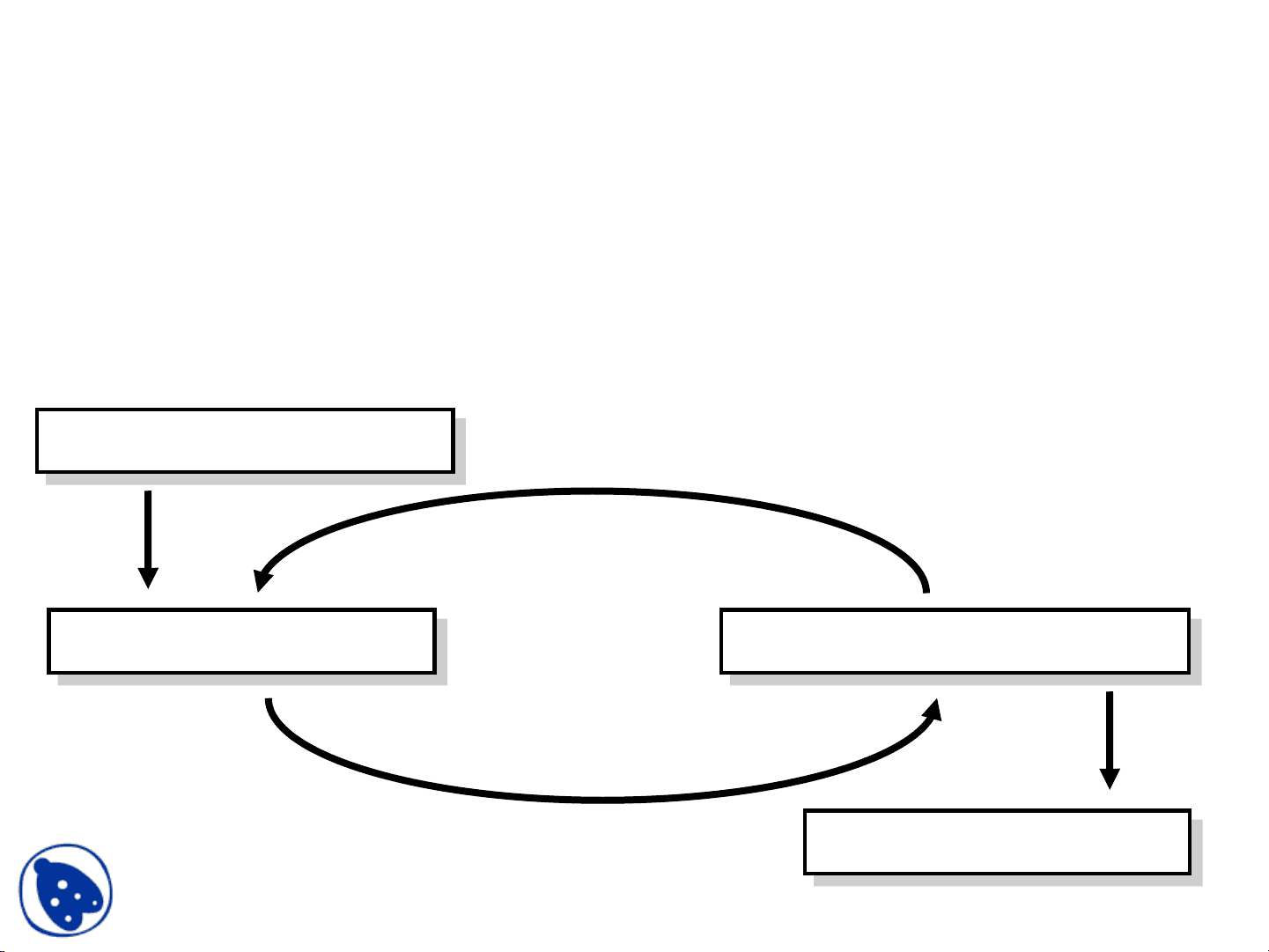
Timing Model
VHDL uses the following simulation cycle to model the
stimulus and response nature of digital hardware
Start Simulation
Update Signals Execute Processes
End Simulation
Delay
Docsity.com


Study with the several resources on Docsity

Earn points by helping other students or get them with a premium plan

Prepare for your exams
Study with the several resources on Docsity
Earn points to download
Earn points by helping other students or get them with a premium plan
These are the Lecture Slides of Computer Science which includes Bit Adder, Code, Vector, Bcdcarryout, Architecture Behavioral, Component, Signal, Waveform, Logic etc. Key important points are: Timing Model, Simulation Cycle, Digital Hardware, Start Simulation, Update Signals, Execute Processes, End Simulation, Delay Types, Same Simulation, Simulation Time Plus
Typology: Slides
1 / 18

This page cannot be seen from the preview
Don't miss anything!
VHDL uses the following simulation cycle to model the stimulus and response nature of digital hardware
Start Simulation
Update Signals Execute Processes
End Simulation
Delay
Input delay
Output
All VHDL signal assignment statements prescribe an amount of time that must transpire before the signal assumes its new value
This prescribed delay can be in one of three forms: Transport -- prescribes propagation delay only Inertial -- prescribes propagation delay and minimum input pulse width Delta -- the default if no delay time is explicitly specified
Default signal assignment propagation delay if no delay is explicitly prescribed VHDL signal assignments do not take place immediately Delta is an infinitesimal VHDL time unit so that all signal assignments can result in signals assuming their values at a future time E.g.
Supports a model of concurrent VHDL process execution Order in which processes are executed by simulator does not affect simulation output
Output <= NOT Input; -- Output assumes new value in one delta cycle
An Example without Delta Delay
What is the behavior of C?
NAND gate evaluated first: IN: 1-> A: 0-> B: 1-> C: 0->
AND gate evaluated first: IN: 1-> A: 0-> C: 0-> B: 1-> C: 1->
Transport delay must be explicitly specified
I.e. keyword “TRANSPORT” must be used
Signal will assume its new value after specified delay (^) -- TRANSPORT delay example Output <= TRANSPORT NOT Input AFTER 10 ns;
Input Output
0 5 10 15 20 25 30 35
Input
Output
An input value must be stable for a specified pulse rejection limit duration before the value is allowed to propagate to the output.
Example:
Z <= reject 4ns inertial A after 10 ns;
Default delay model.
Example of gate with ‘inertia’ smaller than propagation delay e.g. Inverter with propagation delay of 10ns which suppresses pulses shorter than 5ns
Note: the REJECT feature is new to VHDL 1076-
Output <= REJECT 5ns INERTIAL NOT Input AFTER 10ns;
Input
Output
0 5 10 15 20 25 30 35
It is possible to assign multiple values to a signal, each with a different delay value.
For example:
Phase1 <= ‘0’, ‘1’ after 8ns, ‘0’ after 13 ns, ‘1’ after 50 ns; A more general syntax:
Signal object <= [transport | [ reject pulse_rejection_limit] inertial ] waveform-element, waveform-element;
Wait Statement (cont.)
Examples:-
–continue to wait if SUM <= 100 the process suspends for a maximum of 50 ms until the value of signal SUM is greater than 100. –If the Boolean condition is not satisfied for 50 ms, the process resumes from the statement following the wait statement
Wait Statement (Example)
process --no sensitivity list variable temp1, temp2:BIT; begin temp1 := A and B; temp2 := C and D; temp1 := temp1 or temp2; Z <= not temp1 wait on A, B, C, D; --replaces the sensitivity list
end process;
WAIT0 : process
begin
wait on DATA; sig_A <= DATA; wait for 0 ns; sig_B <= Sig_A;
end process;